
Garment Blueprint Studio

Build Garments Your Way. From Pattern to Production.

Every atelier crafts differently. With TailorInch, create custom garment blueprints for whatever your shop sews—setting base starting prices, anatomical measurement points, styling questionnaires, and automated production tasks in one cockpit.

Pre-Built & Custom Garment Blueprints:
✂ Shirts 👗 Skirts & Dresses 🧥 2-Piece Suits 🥻 Kurtas & Kameez 👖 Trousers ✨ + Add Custom Garment
Unlimited BlueprintsMen, women, unisex & bridal
5-Pillar MatrixPrice, sizes, styling, tasks & designs
Zero GuessworkStandardized quotes and task pipelines
TailorInch Category Configuration Hub
Interactive Studio Cockpit

The 5 Pillars of Every Garment Blueprint

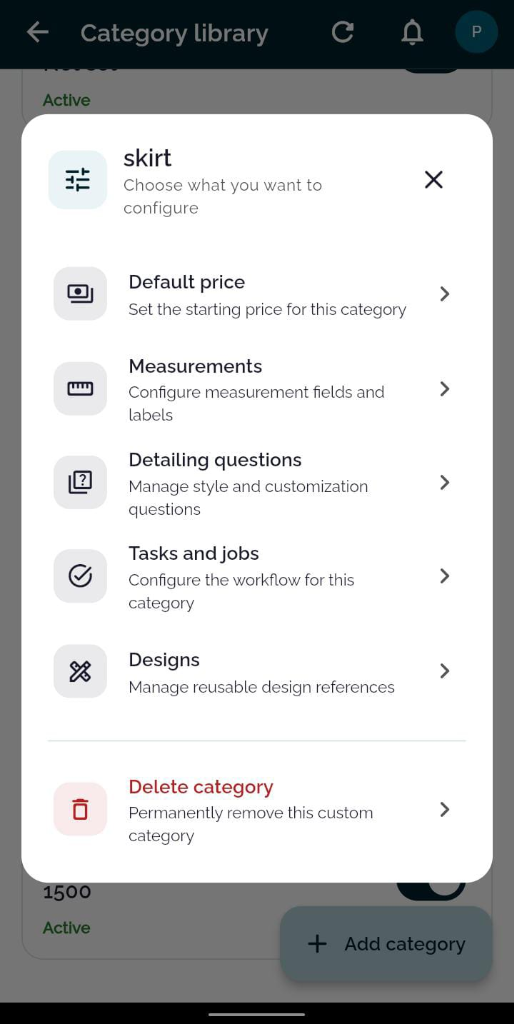
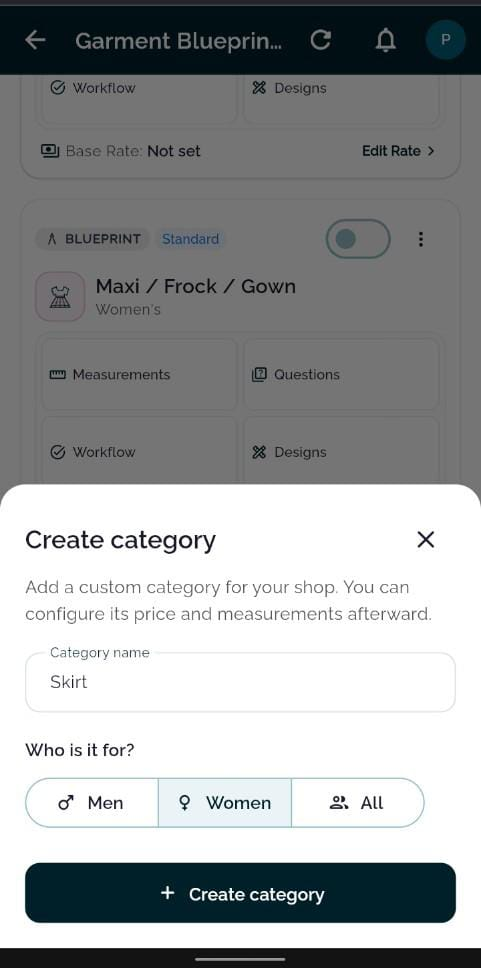
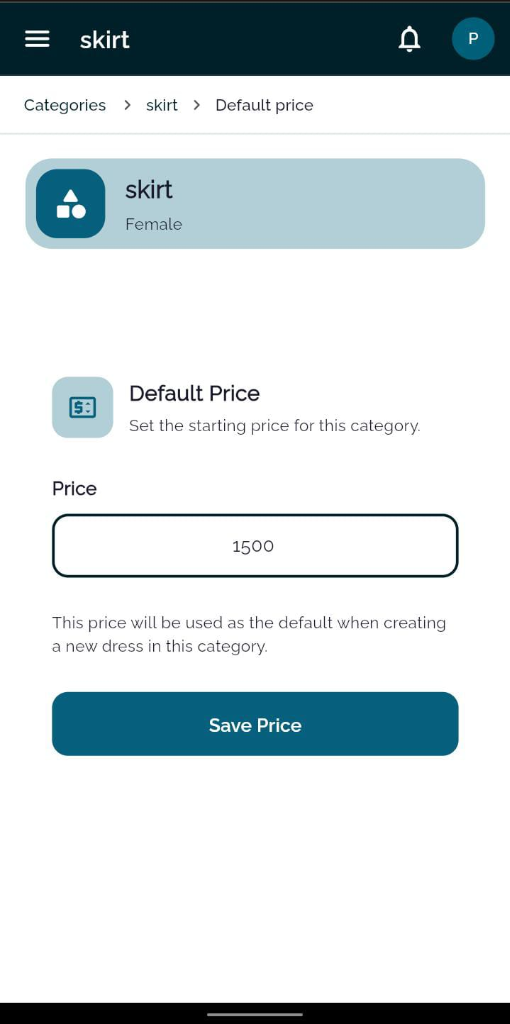
Click through the 5 configuration pillars below to watch how TailorInch standardizes pricing, cutting, and stitching across your entire team.

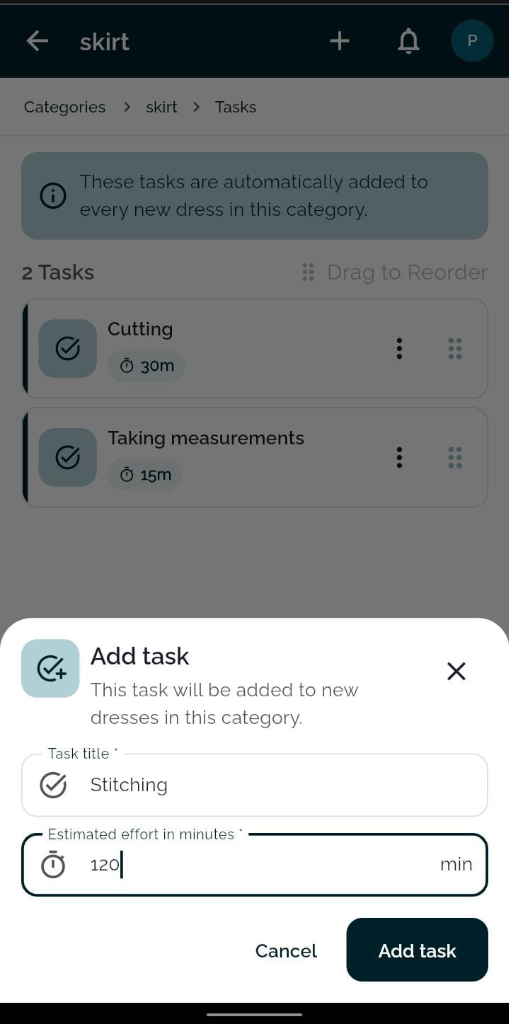
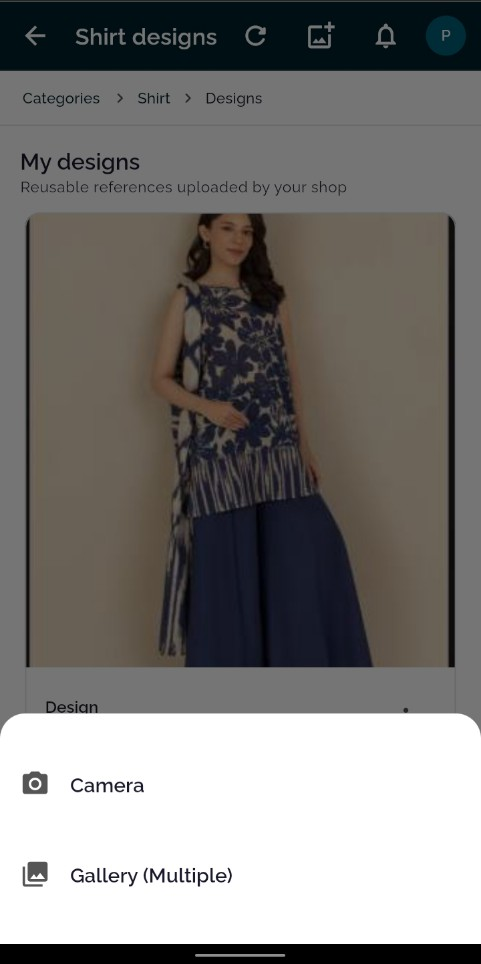
Create custom category dialog Category configuration modal with 5 pillars Category default starting price Category production tasks with estimated minutes Category design references lookbook
Operational Intelligence

How Blueprints Power Your Entire Atelier

Configuring categories isn't just about labels—it connects your billing, counter staff, and cutting masters into one automated rhythm.

⚡

Automatic Worker Task Dispatch

The moment an order is confirmed at the counter, the blueprint's task templates instantly spin up individual job cards. Cutters and stitchers see their work in their personal 'My Tasks' queue with exact time goals—eliminating verbal shouting across the workshop floor.

Cutting Masters Assembly Stitchers Hand Pressing & QC 1-Tap Start / Complete
🏢

Multi-Branch Price Overrides

Operating a luxury flagship boutique downtown and a central workshop in another district? Manage branch-specific base prices and availability switches without duplicating categories.

Branch Switchboard Custom Margins
📏

Anatomical Parameter Binding

Each blueprint links directly to our visual measurement library. Arrange fields with drag-to-reorder so your counter staff measures in the exact sequence you tape clients.

Drag-to-Reorder Visual Silhouettes
📲

Live Customer Transparency

When you attach reference designs or record specific styling questions, they sync directly into the client's automated WhatsApp tracking link. Customers see their garment specifications in real-time, eliminating disputes over collar styles or hem cuts.

Zero Fitting Disputes WhatsApp Tracking Link Visual Proof
Garment Setup FAQ

Frequently Asked Questions

Common questions about configuring custom categories and blueprints in TailorInch.

Explore full operations hub →

How many custom categories can I create? +

Unlimited. You can create as many categories as your shop requires—from traditional wedding wear to school uniforms, western suits, and bespoke shirts.

Can I set different default prices for different branches? +

Yes. TailorInch supports multi-entity management. You can configure branch-level pricing overrides so retail stores and central workshops maintain their own pricing structure.

Do tasks automatically assign to workers? +

When an order is confirmed, the category tasks are automatically created. The shop or workshop manager can assign them to specific tailors with one tap, or workers can claim them from the queue.

Can I temporarily disable a category without losing data? +

Yes. You can toggle any category active or inactive. When inactive, it hides from counter order forms, but all past customer orders and measurements remain intact.

Can clients view design photos on their phones? +

Yes. When you attach reference designs to an order, the customer can see them directly inside their live web tracking portal via the WhatsApp tracking link.

TailorInch for Modern Ateliers

Run Every Garment with Confidence.

Bring your people, production, and customer commitments into one connected system. Pay as you go with zero upfront fees.